APTARE IT Analytics Integration with NAKIVO
See your NAKIVO Backup & Replication data inside APTARE IT Analytics. Generate backup reports automatically, ensure compliance faster and monitor data protection workflows from the same console.
NAKIVO Recognized as One of the Honorable Mentions
2024 Gartner® Magic QuadrantTM
Enterprise Backup and Recovery Software Solutions

Bring Backup Insight Into APTARE IT Analytics
Automated Reporting
Pull NAKIVO backup job results into APTARE on a schedule and stop assembling reports manually.
Flexible Report Types
Choose machine-level, daily or billing reports depending on whether you’re tracking a workload, the whole environment or costs.
Unified Console
See every backup environment in one place, without switching tools.
Trend Visibility
Read historical APTARE reports to identify patterns and adjust your strategy accordingly.
Multi-Tenant Ready
Generate separate APTARE reports for each tenant you protect with the NAKIVO solution.
Compliance Proof
Build a backup history you can hand to auditors as evidence of protection and retention.

16,000+ Customers Trust NAKIVO

Inside Your APTARE Backup Reports

Personalized Backup Reports
Once the integration is set, the NAKIVO backup job data flows into APTARE IT Analytics on the schedule you choose. Reports are built from the latest job results, so you don’t have to export data and assemble status manually. Catch slow or failed jobs early, track backup performance over time and keep the records that audits request.

All Your Backups in One View
Checking backups across on-premises, hybrid and multi-cloud sites usually means a different interface for each one. With the integration, NAKIVO backup status shows up in APTARE IT Analytics alongside your storage reporting, so you can read it from one place.

A Report for Every Question
Build machine-level reports that list the host and name of each VM, job details, the volume of transferred data and the retention period. Run daily reports to monitor the whole environment. Generate billing and usage reports when you need cost or chargeback figures.

One Deployment, Multiple Tenants
Run a multi-tenant environment without a separate console per tenant. Manage up to 100 isolated tenants in a single instance of NAKIVO Backup & Replication, and break results out by tenant in APTARE. Service providers get per-tenant visibility from one deployment, so overhead stays flat as the customer list grows.
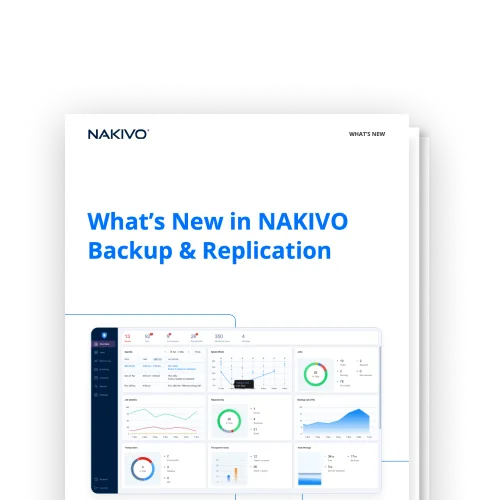
What’s New in NAKIVO Backup & Replication
Integrate NAKIVO Backup & Replication with more of your stack with each release, across storage, monitoring and automation tooling.
Customer Testimonials

FAQ
What is APTARE IT Analytics?
APTARE IT Analytics is a storage resource management platform for monitoring storage and backup across mixed environments. The NAKIVO integration feeds your backup data into it, so backups show up next to the rest of your storage reporting.
How does the APTARE IT Analytics integration work?
A NAKIVO connector runs inside an APTARE data collector on the machine where NAKIVO Backup & Replication is installed. Once you add the collector and a NAKIVO data protection policy in APTARE, backup data lands in the console, where you build and run reports from SQL templates.
What do I need to set it up?
Install the APTARE StorageConsole Data Collector with the NAKIVO connector on the machine running NAKIVO Backup & Replication, then add the collector and a NAKIVO data protection policy in the APTARE portal. For the full step-by-step process, see the APTARE IT Analytics Integration guide.