
Leading VMware Backup Software from NAKIVO
Protect VMware VMs from ransomware and downtime with an all-in-one backup, disaster recovery and cyber resilience solution, built for VMware environments—up to vSphere 9.
Start Your Free Trial













Powerful VMware Backup — Without Enterprise Complexity
- Faster backups.
- Instant recovery.
- Better scalability
- Lower costs.
Complete VMware Backup and Recovery Capabilities

Support for vSphere 9
Full support for the latest VMware releases, including vSphere 9, so platform upgrades don’t break your vSphere backup and recovery strategy.

Fast Backup
Incremental, app-aware backups with Changed Block Tracking, LAN-free transfer, compression and bandwidth throttling to boost backup speed and save storage space.

Instant Recovery
Instant VM recovery (Flash VM boot), granular recovery, full VM recovery, P2V/V2V, direct recovery from tape, failover/failback and more.

VMware Ransomware Protection and Recovery
Immutable storage in local repositories, cloud and S3-compatible storage and deduplication storage systems. Air-gapped storage on tape. Backup Malware Scan verifies data before recovery.

Built-in Disaster Recovery
Real-time VM replicas with RPOs as low as 1 second. Automated failover and failback sequences across diverse scenarios with Site Recovery.

Streamlined Tiering
Backup copies to local folders, NFS/SMB shares, cloud platforms, S3-compatible storage, tape and deduplication appliances, following the 3-2-1-1 backup strategy.

Robust Backup Security
Prevent unauthorized access with Role-based access control (RBAC), two-factor authentication (2FA) and AES-256 encryption at source, in flight and at rest.

Flexible Deployment Options
Install on Windows, Linux, NAS, as a VMware/Nutanix virtual appliance or AMI. Choose what fits your infrastructure—no dedicated backup infrastructure required.

Built-in IT Monitoring
Track CPU, RAM and disk usage for hosts, VMs and datastores in real time. Set up custom alerts for suspicious activities and receive automated protection reports by email.

Simple, Automated Administration
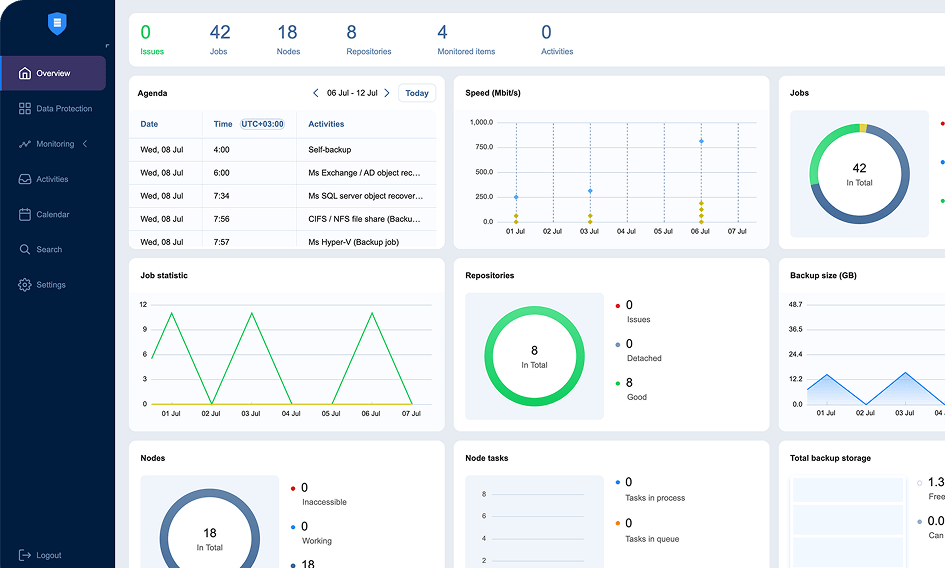
Single web interface to manage backup activities with a calendar dashboard and automated workflows with policy-based protection and more.

NAKIVO Earns Recognition in
Gartner® Peer InsightsTM Voice of the Customer Report for Enterprise Backup and Recovery Software Solutions
*Based on 427 all-time reviews as of February 2024
**Based on 36 reviews as of February 2024


What Makes VMware Backup Harder Than It Should Be
As your environments grow, VMware backup and recovery become harder to scale, secure and control. See how NAKIVO addresses it.
Backup jobs slow down as you scale
Longer backup windows and failed jobs leave critical workloads exposed.
Reduce backup windows with incremental backups that capture only changed data. Built-in optimization keeps network impact low as your environment grows.
Recovery is not fast enough
Full VM restores take hours and granular recovery options are limited. Every minute offline affects users, services and operations.
Instantly restore full VMs, individual files and application objects. 10+ recovery options across different recovery use cases.
Complex VMware backup administration
More hosts, VMs, schedules and recovery points make daily operations difficult to control.
One web interface to manage all VMware data protection operations. Automated scheduling and policy-based protection to eliminate manual workflows.
Unpredictable VMware backup software costs
Per-feature licensing, growing storage consumption and multiple copies drive total spend beyond the initial quote.
Save big on a VMware data protection solution that’s tailored to your use cases with perpetual and per-workload licensing options.
Ransomware targets recovery, not just production
Attackers target backups alongside VMware workloads, eliminating clean restore points and your chance to recover.
Immutable storage for VMware backups on-premises, cloud and deduplication systems or choose air-gapped storage for complete isolation. Use Malware Scan to verify that data is clean before recovery.
Disaster recovery is hard to coordinate manually
Replication, failover/failback and recovery testing are often managed separately, nonexistent or are difficult to automate.
Replicate critical VMware VMs in real time and recover operations in seconds with a complete automated DR workflow (failover, failback and recovery testing, etc.).
Get Affordable VM Backup for VMware Today
- Pay for the edition that fits your needs
- Choose perpetual or subscription licensing
- Use existing infrastructure for deployment and storage
- Get backup, recovery, DR, cyber resilience and IT Monitoring in one solution
- Access expert 24/7 technical support
Try NAKIVO's VMware Backup Software in Your Own Environment
Start a free trial of NAKIVO Backup & Replication and run real backups and recoveries for your actual VMware workloads—with no feature restriction.
- 15‑day full-featured trial
- Deploy in minutes
- Test the NAKIVO VMware backup solution at your own pace
- No credit card required, no commitments
Prefer a guided walkthrough? Book a tailored demo with a NAKIVO expert.
Get Started in Three Steps
From download to your first VMware backup in under five minutes.
Join 16,000+ organizations protecting VMware environments and more with NAKIVO

What VMware Professionals Say About NAKIVO

3X lower costs
50% Lower costs & faster jobs