Explore NAKIVO Backup & Replication v11.3
Try the latest version with direct platform migration, stronger ransomware protection, expanded disaster recovery and broader platform support.
Try v11.3 for Free
Leading Brands Trust NAKIVO

What’s New in v11.3

Platform Migration: VMware to Proxmox VE
- Recover existing VMware backups directly as Proxmox VE VMs, without additional migration tools.
- Avoid manually rebuilding VMs and reduce migration time and effort.
- Keep both VMware and Proxmox environments protected during the transition.

Ransomware Detection for Backups
- Scan existing backups for known malware using supported antivirus software.
- Identify recovery points with no threats detected and reduce the risk of restoring infected data.
- Run scans on demand, after backup jobs or on a schedule, and review results in the Threats dashboard and reports.

Site Recovery for Proxmox VE
- Build and automate complex DR workflows for Proxmox VMs, including replication, failover, failback and other recovery actions.
- Plan for outages, maintenance, and migrations with sequences that can be launched with one click.
- Test disaster recovery workflows on demand or on a schedule without disrupting production.

Proxmox VE Failover and Failback
- Instantly switch to Proxmox VE VM replicas to restore services when production systems go down.
- Fail back to the original or another host once the production environment is ready.
- Reduce downtime and manual effort with streamlined failover and failback.

Policy-Based Protection for Proxmox VE
- Automatically protect new and existing Proxmox VE workloads with policy-based data protection.
- Define custom rules to automatically add matching VMs to backup, replication, failover and failback jobs.
- Reduce manual job management and easily protect newly added workloads.

HPE Morpheus Software – VM Essentials Support
- Protect HPE Morpheus Software VMs with agentless, incremental and image-based backups.
- Create VM backups and backup copies across local, cloud and other supported destinations.
- Recover full VMs or individual files, folders and application objects.
- Strengthen ransomware resilience with immutability, air-gapping, multi-layered encryption and more.

IBM AIX Support
- Back up selected folders on IBM AIX physical machines.
- Store backups locally, in the cloud, on SMB/NFS shares or on deduplication appliances.
- Recover only the files and folders you need after data loss incidents, without full system restores.
- Protect against ransomware with immutability in supported local and cloud repositories.

Tenant Resource Allocation for Proxmox VE
- Assign Proxmox VE hosts, clusters, VMs, backup repositories and Transporters to local tenants.
- Let each tenant access and protect only their assigned resources.
- Manage shared Proxmox VE infrastructure while keeping tenant resources isolated.

Microsoft 365: Graph API for Exchange Online
- Back up and recover mailbox data, including emails, contacts, calendars and attachments, using Microsoft Graph API.
- Maintain Exchange Online backup compatibility as Microsoft retires EWS.
- Retain access to existing recovery points after switching from EWS to the Microsoft Graph API.

Bottleneck Detection
- Identify performance bottlenecks across the backup pipeline at a glance.
- See whether the Source, Source Transform, Network, Target Transform or Target is limiting performance.
- Troubleshoot backup slowdowns faster with clear insights into performance constraints.

IT Monitoring in the Enterprise editions
Starting with v11.3, IT Monitoring for VMware vSphere is included in the Enterprise Essentials, Enterprise, Enterprise Plus, MSP Enterprise and MSP Enterprise Plus editions at no additional cost.
See v11.3 in action!
Explore the latest data protection capabilities and use cases.
About NAKIVO Backup & Replication
NAKIVO Backup & Replication is a fast, affordable, top-rated solution, designed to protect data across virtual, physical, SaaS and cloud environments. The solution combines efficient backup, flexible recovery, ransomware resilience and disaster recovery automation in a single interface.

All-in-One Data Protection
- Virtual: VMware vSphere, VMware Cloud Director, Hyper-V, Nutanix AHV, Proxmox VE and HPE Morpheus Software – VM Essentials
- Physical: Windows, Linux and IBM AIX
- SaaS: Microsoft 365
- Cloud: Amazon EC2
- NAS: File shares
- Databases: Oracle RMAN.

Fast Deployment
Install NAKIVO Backup & Replication on:
- Windows
- Linux
- NAS
- Deploy as a pre-configured VMware/Nutanix virtual appliance
- Deploy as an Amazon Machine Image (AMI)

Ransomware Resilience
- AES-256 encryption for backups at the source, in transit and at rest
- Immutable backups in:
- Local Linux-based storage
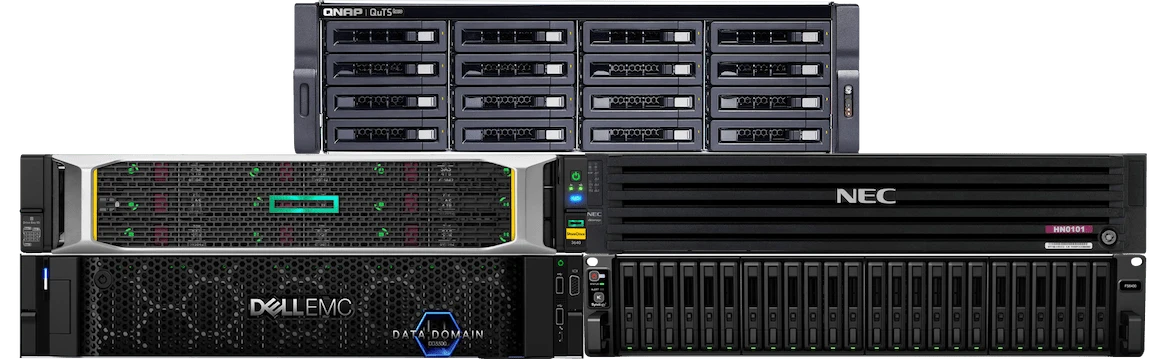
- NEC HYDRAstor and Dell EMC Data Domain appliances
- Public cloud (Amazon S3/Wasabi/Azure Blob/Backblaze B2)
- S3-compatible object storage
- Air-gapped backups on tape, USB drives or NAS.
- Backup Malware Scan to check for threats before recovery.
- Ransomware Detection for Backups to scan data and identify the latest point with no threats detected.
- Robust access controls, including RBAC and 2FA

Multiple Backup Targets
Send backups to:
- Local storage
- Offsite
- Cloud (Amazon S3, Wasabi, Azure Blob, Backblaze B2)
- S3-compatible object storage
- SMB/NFS
- Tape
- Deduplication appliances (NEC HYDRAstor, Dell EMC Data Domain, HPE StoreOnce)

Flexible Recovery Options
Ensure data recovery for every scenario:
- Instant recovery of VMs, physical machines, files, application objects and Microsoft 365 items
- Cross-platform recovery
- Platform migration: VMware to Proxmox VE
- Recovery of physical backups to virtual environments (P2V)
- Direct recovery from tape

Disaster Recovery
- Built-in replication and replication from backups
- Automated failover and failback
- Real-Time Replication for VMware
- Disaster recovery automation and orchestration, as well as non-disruptive recovery testing with Site Recovery

Enhanced Performance
Optimize backup performance with:
- Incremental backup with VMware CBT, Proxmox CBT, HPE Morpheus Software – VM Essentials CBT, Hyper-V RCT, Nutanix AHV CRT
- LAN-free data transfer and network acceleration
- Up to 2 times better performance when installed on a NAS device
- Bottleneck Detection to identify performance constraints

Smaller Backup Size
Reduce backup data size with:
- Incremental backups
- Global deduplication
- Variable compression
- Truncation of SQL and Exchange logs
- Unused block exclusion

Recovery Verification
- Instant, automated backup and replica verification through test recoveries
- Detailed reports and screenshots of test-recovered VMs

BaaS and DRaaS
- MSP Console
- Advanced multi-tenancy (local and remote tenants in one instance)
- MSP Direct Connect
- Tenant overview dashboard
- Tenant self-service
Backup Appliance Based on QNAP, Synology, ASUSTOR, Western Digital, NETGEAR or TrueNAS CORE NAS
About NAKIVO
NAKIVO is a data protection software vendor dedicated to delivering the ultimate backup, ransomware resilience and disaster recovery solution for virtual, physical, cloud, NAS and SaaS environments. Over 17,000 customers in 190 countries trust NAKIVO with protecting their data, including major companies like Coca-Cola, Honda, Siemens and Cisco.
Technology Partners
