Powerful Agentless Proxmox VE Backup Solution by NAKIVO
Protect your VM data with a fast and top-rated Proxmox backup solution. Recover fully-functional VMs in seconds, lock out cyber threats and scale effortlessly as your infrastructure grows.
NAKIVO Recognized as One of the Honorable Mentions
2024 Gartner® Magic QuadrantTM
Enterprise Backup and Recovery Software Solutions

NAKIVO’s Agentless Backup for Proxmox VE
Get native incremental backups with the freedom to store them anywhere, including cloud, S3-compatible storage or tape. Stay ransomware-resilient and recover anything in seconds – whether it’s a full VM or a single file.
Solution Brief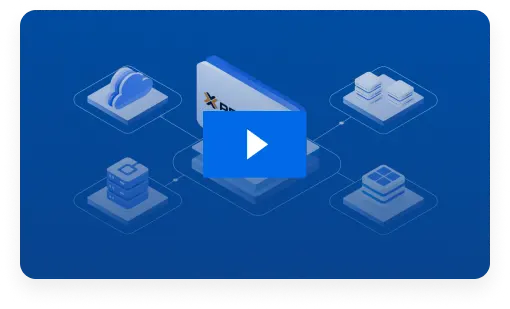
16,000+ Customers Trust NAKIVO

Why Choose Proxmox Backup by NAKIVO
Robust Backup for Proxmox VE
Create incremental, image-based and app-aware Proxmox VM backups to ensure data consistency. Seamlessly align with the 3-2-1 backup rule for uninterrupted data availability.
Quick and Reliable Recovery for Any Scenario
Automatically verify VM recoverability to ensure seamless restores. Boot Proxmox VMs in seconds or instantly recover individual files and objects to original or custom locations.
Comprehensive Protection Against Cyber Threats
Align with strict security requirements and strengthen data resilience with backup immutability, encryption and diverse backup storage targets. Access controls and activity tracking help support audit trail requirements for frameworks such as HIPAA, NIS2 and GDPR.
Top Performance with Minimal Administration Effort
Meet growing business needs and effortlessly scale your data protection infrastructure with agentless backup, multiplatform support, centralized management and automation capabilities.
NAKIVO Earns Recognition in
Gartner® Peer InsightsTM Voice of the Customer Report for Enterprise Backup and Recovery Software Solutions
*Based on 427 all-time reviews as of February 2024
**Based on 36 reviews as of February 2024


to recommend**
Reliable Data Protection with Proxmox VE Backup Software by NAKIVO

Agentless Backups
Directly back up Proxmox VMs and VM templates without installing agents on each machine. The NAKIVO solution seamlessly integrates and is fully compatible with the Proxmox virtual infrastructure, allowing you to run image-based, app-aware backups.

Fast Incremental Backups
Copy only the changed data blocks (increments) using Proxmox native change tracking technologies and automatically truncate logs and exclude swap data to improve backup speed and save storage space.

Multiple Backup Targets
Achieve efficient backup tiering by storing backups and backup copies onsite, offsite, to public clouds, S3-compatible storage, NAS, deduplication appliances or tape. Flexible retention options allow you to keep backups for different durations across all storage targets.

Automated VM Verification
Ensure that Proxmox VM backups are recoverable and functional by enabling automated verification. The NAKIVO solution instantly boots VMs from backup and sends you the report after completion.

Flexible Recovery Options
Ensure minimal downtime and seamless business continuity with instant recovery. Boot VMs directly from backups in seconds or quickly restore individual files, folders and application objects without recovering the entire machine.

Direct Recovery from Tape
Gain an additional layer of flexibility for your disaster recovery strategy. Directly recover Proxmox VMs and VM templates from tape to improve recovery point objectives.

Proxmox VM Replication
Ensure the tightest recovery objectives with Proxmox replication to another host. Replicate directly from backups to save time and resources and quickly switch to a replica in case of a disaster.

Immutable Backups
Enable immutability for backups stored in Linux-based local repositories, in the cloud or on HYDRAstor deduplication appliances to prevent data modification or deletion by ransomware.

Air-Gapped Backups
Store Proxmox backups and backup copies offline on tape or detachable devices like USB drives and NAS to prevent unauthorized access and preserve a clean data copy to recover from.

Advanced Security Measures
Enable role-based access control, two-factor authentication and source-side Proxmox backup encryption to ensure data is protected against leaks throughout the backup retention period.

Low-Maintenance Administration
Use the Calendar dashboard to schedule backups without overlaps and set bandwidth rules to prevent congestion during peak hours. The web-based dashboard simplifies item search and activity monitoring, while policy-based data protection automates backup scheduling, retention and resource management.

Effortless Scalability
The NAKIVO solution supports virtual, physical, cloud and SaaS workloads to seamlessly protect mixed and hybrid infrastructures. Scale backup storage by combining various repositories into a single pool to prevent storage failures and capacity issues.
NAKIVO Backup & Replication Pricing
Customer Testimonials

Proven Performance, Backed by a 4.8-Star Rating








Ready to Get Started?
What’s New in NAKIVO Backup for Proxmox VE
Learn about new features and improvements to keep Proxmox VE data protection secure and efficient.
Resources
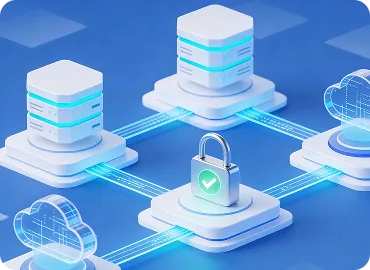
How NAKIVO Protects Proxmox VE VMs

8 Reasons IT Teams Choose NAKIVO

NAKIVO Backup for Proxmox VE Datasheet
FAQ
How can I back up Proxmox?
The native backup tool, Proxmox Backup Server (PBS), may not offer all the advanced features required to protect today’s hybrid or mixed environments. With a dedicated data protection solution like NAKIVO Backup & Replication, you can easily protect your data from a centralized dashboard using a wide set of backup and recovery capabilities.
Install the NAKIVO solution and start your first Proxmox backup job in less than 2 minutes. For Proxmox backup and restore step-by-step tutorial, read this blog post.
What makes agentless Proxmox backup more efficient than agent-based solutions?
With an agentless Proxmox backup solution, like NAKIVO Backup & Replication, you can back up VMs and VM templates directly without installing and maintaining software agents on each VM. This reduces system overhead and resource consumption, resulting in faster and more efficient backups. Agentless backup software for Proxmox simplifies management and lowers the risk of compatibility issues while providing high data protection and reliability.
Can I protect mixed environments?
Yes. In addition to Proxmox VE backup and recovery in NAKIVO Backup & Replication, you can protect:
How can I protect my Proxmox VE backup data from ransomware?
NAKIVO Backup & Replication includes various tools that provide ransomware protection and safeguard against unauthorized access:
- Role-based access control and two-factor authentication allow you to restrict access to backups and data protection activities.
- Immutable backups onsite, in the cloud and on HYDRAstor deduplication appliances prevent ransomware infections from modifying or deleting your backup data.
- Air-gapped backups on tape and detachable devices.
- Multi-layered AES-256 backup encryption at the source, during transfer and in storage.
- Backup malware scan to ensure clean data recovery.
Combined with the 3-2-1 backup rule, these capabilities help ensure that backup data is stored across multiple locations, including offline and immutable storage, and remains recoverable after a ransomware attack.
Is the NAKIVO solution MSP-friendly?
Yes! You can create up to 100 isolated environments (tenants) with a single deployment of the NAKIVO solution. Manage tenants, allocate resources and assign data protection tasks from a centralized dashboard that you can access remotely from any device. Check NAKIVO Backup for MSP for more details.
How do I start using the Proxmox backup by NAKIVO?
You can download the Free Trial of NAKIVO Backup & Replication to start protecting Proxmox VE. Contact our sales department for more information on custom demos, personalized quotes and assistance with deploying the solution.
What is the recommended Proxmox backup frequency and schedule?
For production workloads, incremental backups are typically run every few hours, with periodic full or synthetic full backups depending on data change rates. Less critical systems can follow a daily schedule with fewer restore points. With NAKIVO Backup & Replication, you can easily automate backup schedules and configure retention policies to simplify backup lifecycle management and ensure consistent data protection aligned with your RPO and RTO.