Powerful Hyper-V Backup and Recovery by NAKIVO 20378 new
20206 Protect your Hyper-V data with reliable backup, recovery and replication. NAKIVO offers comprehensive, intuitive support for Microsoft Hyper-V with built-in cybersecurity features.
NAKIVO Recognized as One of the Honorable Mentions
2024 Gartner® Magic QuadrantTM
Enterprise Backup and Recovery Software Solutions

20206 See NAKIVO’s Hyper-V Backup and Replication in Action 20378 new
Discover how NAKIVO ensures secure Microsoft Hyper-V backup, quick recovery and ransomware resilience for your data.
Solution Brief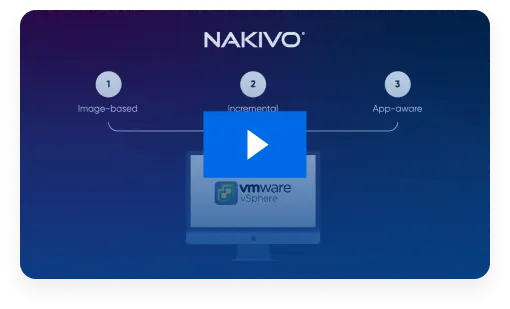
16,000+ Businesses Rely on NAKIVO

20206 Why Choose Microsoft Hyper-V Backup from NAKIVO
Faster Backups, Less Downtime 20378 new
Reduce backup time with incremental and application-aware backups, ensuring minimal disruption to your business operations.
Save Up to 50% of TCO
Save on infrastructure and management costs with an efficient, all-in-all data protection solution that reduces the total cost of ownership.
Verified Recovery Anytime, Anywhere
Recover exactly what you need – an entire VM, a single file or an application object – in minutes. Automated backup verification ensures your data is always recoverable, giving you complete control over your recovery strategy.
Comply with Cybersecurity Law
Stay aligned with NIS2, NIST, HIPAA and other security regulations. The NAKIVO solution delivers robust security measures, storage flexibility and fast recovery, allowing you to meet even the strictest cybersecurity requirements.
NAKIVO Earns Recognition inGartner® Peer InsightsTM Voice of the Customer Report Enterprise Backup and Recovery Software Solutions
*As of February 2023 on GartnerВ® Peer Insightsв
**Based on 30 reviews as of October 2022


Maximize Data Protection
with the Hyper-V Backup Software

Application-Consistent Backups
Capture the entire VM during backup, including all disks and configuration files. The app-aware mode ensures that data in Microsoft Exchange, Active Directory and SQL is transactionally consistent.
Storage Optimization
Perform incremental backups using Microsoft’s Resilient Change Tracking (RCT) technology to copy only the changed blocks of data. You can further reduce the size of your backups with swap data exclusion and compression.

Advanced Backup Tiering
Store backup copies onsite, offsite, in the cloud (Amazon, Wasabi, Azure, Backblaze and more), in S3-compatible storage, on NAS or tape. Hyper-V cloud backups provide data redundancy and eliminate a single point of failure.

Multiple Recovery Options
Instantly boot Hyper-V VMs directly from compressed backups without performing a full recovery to achieve near-instant RTOs. With Cross-Platform Recovery, you can restore Hyper-V machines as VMware vSphere VMs and vice versa.

Instant Granular Recovery
Enable file system indexing to easily find individual files and application objects in backups and across repositories. Restore data to the original or custom location in seconds, without recovering the entire VM.

Reliable Backup Verification
Enable instant verification after each successful backup to automatically test the recoverability of your VMs. The solution boots the machine’s OS and sends you a report or screenshot.

Backup Immutability and Air-Gapping
Apply immutability to backups stored in Linux-based local repositories, on a NEC HYDRAstor deduplication appliance or in the cloud to ensure that the data cannot be modified or deleted by ransomware. You can also create air-gapped backups by storing data offline on detachable media like tape.

Layered Security
Encrypt backups before sending them over the network and store encrypted data locally or in the cloud with immutability enabled if needed. Prevent unauthorized access to your backup data using built-in security features like role-based access control and two-factor authentication.

Malware Scans
Scan backups for malware before recovery to prevent ransomware from spreading to your production environment, ensuring safe, clean and uncompromised data restoration and proactive threat detection.

Automated Backup and Recovery
Run data protection workflows automatically by scheduling them in the Calendar dashboard or linking jobs to run one after the other. You can also set up custom policies to protect VMs that fit specific criteria (name, size, location, etc).
Flexible Pricing for Hyper-V Backup 20378 new
Customer Testimonials

Trusted by Thousands – 4.8-Star Backup Performance








Ready to Get Started?
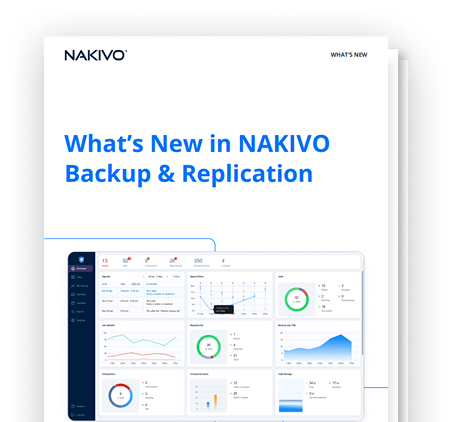
What’s New in NAKIVO Backup & Replication
Stay ahead with powerful new enhancements designed to boost backup speed, security and efficiency. Check out NAKIVO’s latest updates and capabilities.
Resources

NAKIVO Backup for Hyper-V Solution Brief

NAKIVO Backup for Hyper-V Datasheet

Why NAKIVO for Virtual Environments
FAQ
How does backup for Hyper-V work?
Can I protect mixed environments?
Can I back up a Hyper-V cluster?
How secure is the Hyper-V backup tool from NAKIVO?
- Restrict access to backups and data protection activities using role-based access control and two-factor authentication.
- Store Hyper-V backups in ransomware-resilient immutable storage onsite or in the cloud.
- Source-side backup encryption, network and storage encryption options.
- Scan backups for malware before recovery.