Powerful
Hyper-V Backup and Recovery by NAKIVO
Protect your Hyper-V virtual machines with reliable backup, recovery and replication. NAKIVO offers comprehensive, intuitive support for Microsoft Hyper-V with built-in cybersecurity features.
NAKIVO Recognized as One of the Honorable Mentions
2024 Gartner® Magic QuadrantTM
Enterprise Backup and Recovery Software Solutions

See NAKIVO’s Hyper-V Backup and Replication in Action
Discover how NAKIVO ensures secure Microsoft Hyper-V backup, disaster recovery and ransomware resilience for your data.
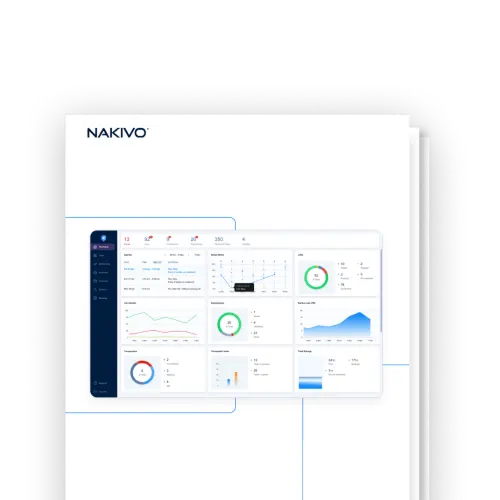
Solution Brief
16,000+ Businesses Rely on NAKIVO

Why Choose Microsoft
Hyper-V Backup from NAKIVO
Faster Backups, Less Downtime
Reduce backup time with incremental and application-aware backups to meet tight RPO targets. Instant recovery options help you hit aggressive RTOs and ensure faster disaster recovery with minimal disruption.
Save Up to 50% of TCO
Cut infrastructure and management costs with an efficient, all-in-one data protection solution that lowers your total cost of ownership while delivering enterprise-grade Hyper-V protection.
Verified Recovery Anytime, Anywhere
Recover exactly what you need – an entire VM, a single file or an application object – in minutes. Automated backup verification ensures your data is always recoverable, giving you complete control over your recovery strategy.
Comply with Cybersecurity Law
Stay aligned with NIS2, NIST, HIPAA and other security regulations. The NAKIVO solution delivers robust security measures, storage flexibility and fast recovery, allowing you to meet even the strictest cybersecurity requirements.
Robust Ransomware Protection
Enhance data security with encryption, access control and features like immutable backups and malware scan, safeguarding your Hyper-V environments against ransomware attacks.
Seamless Cloud Integration
Easily store, replicate, and recover backups from Amazon S3, Azure Blob or other cloud platforms, ensuring scalability and offsite protection for your Hyper-V environments.

NAKIVO Earns Recognition in
Gartner® Peer InsightsTM Voice of the Customer Report for Enterprise Backup and Recovery Software Solutions
*Based on 427 all-time reviews as of February 2024
**Based on 36 reviews as of February 2024


to recommend**
Maximize Data Protection with
the Hyper-V Backup Software

Application-Consistent Backups
Capture the entire virtual machine during backup, including all disks and configuration files. The solution uses Hyper-V snapshots and Microsoft VSS to ensure that data in Microsoft Exchange, Active Directory and SQL is transactionally consistent.

Storage Optimization
Perform incremental backups using Microsoft’s Resilient Change Tracking (RCT) technology to copy only the changed blocks of data. You can further reduce the size of your backups with swap data exclusion and compression.

Advanced Backup Tiering
Support flexible backup strategies like the 3-2-1 rule by storing copies onsite, offsite, in the cloud (Amazon, Wasabi, Azure, Backblaze and more), in S3-compatible storage, on NAS or tape. Hyper-V cloud backups provide data redundancy and eliminate a single point of failure.

Multiple Recovery Options
Instantly boot Hyper-V virtual machines directly from compressed backups without performing a full recovery to achieve near-instant RTOs and meet your VM disaster recovery objectives. With Cross-Platform Recovery, you can restore Hyper-V machines as VMware vSphere VMs and vice versa.

Instant Granular Recovery
Enable file system indexing to easily find individual files and application objects in backups and across repositories. Restore data to the original or custom location in seconds, without recovering the entire VM.

Reliable Backup Verification
Follow backup best practices with instant verification after each successful backup, automatically testing the recoverability of your VMs. The solution boots the machine’s OS and sends you a report or screenshot.

Backup Immutability and Air-Gapping
Apply immutability to backups stored in Linux-based local repositories, on a NEC HYDRAstor deduplication appliance or in the cloud to ensure that the data cannot be modified or deleted as part of comprehensive ransomware protection. You can also create air-gapped backups by storing data offline on detachable media like tape.

Layered Security
Encrypt backups with AES-256 both in transit and at rest, then store the encrypted data locally or in the cloud with immutability enabled if needed. Prevent unauthorized access to your backup data using built-in security features like role-based access control and two-factor authentication.

Malware Scans
Scan backups for malware before recovery to prevent ransomware from spreading to your production environment, ensuring safe, clean and uncompromised data restoration and proactive threat detection.

Automated Backup and Recovery
Set up a Hyper-V backup schedule in the Calendar dashboard or link jobs to run one after the other for fully automated data protection workflows. Use policy-based automation to protect VMs that fit specific criteria (name, size, location, etc.), or integrate with the HTTP API to align backup strategies with your existing orchestration tools.
Flexible Pricing for Hyper-V Backup
Customer Testimonials

Trusted by Thousands –
4.8-Star Backup Performance








Ready to Get Started?
What’s New in NAKIVO Backup & Replication
Stay ahead with powerful new enhancements to one of the most trusted Hyper-V backup tools — boosting backup speed, security and efficiency. Check out NAKIVO’s latest updates and capabilities.
Resources

How NAKIVO Protects Hyper-V VMs

11 Reasons IT Teams Choose NAKIVO for VMs

NAKIVO Backup for Hyper-V Datasheet
FAQ
How does backup for Hyper-V work?
This is an agentless solution, meaning that the solution creates backups at the virtualization level (rather than the guest OS level) and captures virtual machine disk contents and configuration files. With this type of backup, you can also create incremental backups, saving only changed data volumes (increments) to the backup repository. To improve backup speed, the solution relies on Microsoft’s native Resilient Change Tracking (RCT) technology that automatically tracks all data changes.
What’s the difference between a Hyper-V snapshot and a Hyper-V backup?
A Hyper-V snapshot (also called a checkpoint) captures a virtual machine’s state at a specific point in time and is stored on the same host as the VM. Snapshots are useful for short-term rollback during testing or patching, but they are not a substitute for backups. If the host fails, both the VM and its snapshots are lost.
NAKIVO Backup & Replication creates true backups that are stored independently of the source host, with options for offsite, cloud and immutable storage. The solution uses Hyper-V’s native snapshot mechanism together with Microsoft VSS (Volume Shadow Copy Service) to capture data in an application-consistent state. The application-aware mode ensures that workloads like Exchange, SQL Server and Active Directory are transactionally consistent at the moment of backup. To minimize backup size and duration, the NAKIVO solution uses Microsoft’s Resilient Change Tracking (RCT) to copy only the data blocks that have changed since the last backup.
Can I protect mixed environments?
Absolutely. Along with Microsoft Hyper-V VM backup and recovery, you can protect:
How does Hyper-V backup compare to VMware backup?
Both Hyper-V and VMware backups follow the same agentless principle, but they rely on different change-tracking technologies: Hyper-V uses Microsoft’s Resilient Change Tracking (RCT), while VMware uses Changed Block Tracking (CBT). NAKIVO Backup & Replication supports both natively, so you can apply the same backup strategies, retention policies and storage targets across mixed environments from a single interface.
With Cross-Platform Recovery, you can also restore Hyper-V VMs as VMware vSphere VMs and vice versa — useful for hypervisor migration projects or recovering to whichever platform is available during a disaster.
For standby VM scenarios, Hyper-V replication creates and maintains ready-to-boot copies of your VMs on a secondary host.
Can I back up a Hyper-V cluster?
How secure is the Hyper-V backup tool from NAKIVO?
Hyper-V backups from NAKIVO are secure and safe. NAKIVO offers a variety of tools to protect your backup data against ransomware, unauthorized access and other threats:
- Restrict access to backups and data protection activities using role-based access control and two-factor authentication.
- Store Hyper-V backups in ransomware-resilient immutable storage onsite or in the cloud.
- Source-side backup encryption, network and storage encryption options.
- Scan backups for malware before recovery.
Can the solution be used by MSPs for BaaS?
The solution can be installed in multi-tenant mode. All Microsoft Hyper-V backup features are available in three MSP editions that are licensed per workload on a monthly or annual basis.
How do I start using NAKIVO Backup for Hyper-V?
Start by downloading the Free Trial or reach out to our sales department for more information on custom demos, personalized quotes and assistance with deploying the solution.