Cloud Storage for MSPs: The Complete BaaS Guide
Managed Service Providers (MSPs) play a critical role in helping businesses manage their IT needs, from everyday operations to advanced solutions like Backup-as-a-Service (BaaS) and Disaster Recovery-as-a-Service (DRaaS). As organizations face growing data protection, scalability and compliance challenges, MSPs are under increasing pressure to deliver reliable and cost-effective backup solutions.
Cloud storage has emerged as the foundation enabling MSPs to streamline client backups while ensuring security and business continuity. This blog post explores how cloud storage for MSPs transforms BaaS delivery and strengthens data protection strategies.
Essential Cloud Storage Features for MSPs
For Managed Service Providers, offering cloud storage to clients is more than just hosting files; it is about delivering secure, scalable, efficient and manageable storage solutions. It is essential to use the appropriate MSP cloud backup solutions with an optimized architecture that supports the needed storage and other environments to ensure data protection.
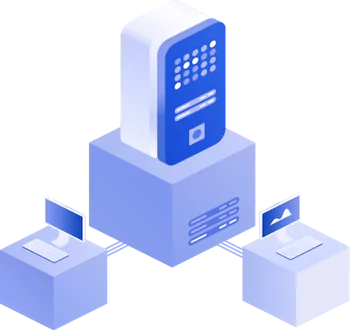
Multi-Tenant architecture for managing multiple clients
The importance of multi-tenant architecture for Managed Service Providers lies in efficiently managing, securing and scaling services across multiple clients. At the same time, an MSP can maintain isolation and control. Backup solutions for MSPs that support multi-tenancy provide numerous advantages compared to a single-tenant solution.
A multi-tenant architecture allows one instance of a software to serve multiple clients (called tenants in the multi-tenancy context), with logical separation of their data, configurations and resources. Each client thinks they are using their own isolated system, while the MSP can manage all clients centrally. As a result, the MSP provides tenant isolation with security and privacy. Each client’s data and users are logically isolated from others, preventing accidental or malicious cross-access.
Shared infrastructure means better resource utilization. This approach allows MSPs to reduce overhead and maintenance costs compared to having separate environments for each client. MSPs can scale their services and minimize the operational burden. They can add new clients without provisioning a whole new environment, easily scale storage, compute and policies as the client base grows.
If MSPs use the environment without multi-tenancy, they can face the following challenges:
- Multiple environments to maintain (one per client) increases cost and complexity.
- Manual tracking of resource usage can lead to billing errors.
- Harder to enforce consistent policies and updates.
- Poor scalability as the client base grows.
Centralized control panel with role-based access
A centralized control panel with role-based access control provides efficient, secure and scalable management of multiple clients, services and users. It becomes the command center for operations and is used to ensure control for more effective management.
Unified management across all clients is crucial because MSPs often manage hundreds of clients with different needs. A centralized panel allows managing users, services, backups, monitoring, storage and alerts in one place. This functionality eliminates the inefficiency of switching between multiple portals, credentials and user interfaces (UIs).
Role-based access control enhances security and enables granular access control by assigning permissions based on roles (admin, technician, auditor, client, etc.). This feature prevents unauthorized access to sensitive settings or client data.
Client-specific visibility allows MSPs to grant clients access to only their own data. Clients can view backup/restore logs, manage their users, monitor storage usage and run reports. This functionality enables self-service for clients without risking other tenants’ data.
As MSPs grow, manually managing users and services becomes challenging. Role-based access control ensures scalable delegation without risking full admin access to every technician. Setting up the system once and scaling as much as needed is required.
Flexible support for VMs, cloud workloads, NAS and SaaS data
The more platforms and workloads MSPs can support, the more competitive they are. Offering flexible support for VMs, cloud workloads, NAS devices and SaaS data is essential. Support for multiple environments allows MSPs to deliver comprehensive, modern and resilient managed services to clients with diverse IT infrastructures.
Most clients today have hybrid environments that combine:
- On-premise virtual machines (VMs)
- Cloud infrastructure (IaaS/PaaS)
- File servers and NAS devices
- SaaS platforms (like Microsoft 365 or Google Workspace)
MSPs must be able to protect, manage and restore most of these to stay competitive and meet client expectations.
MSP cloud backup solutions must support virtual machines running on different platforms. Most small organizations and enterprises rely on VM-based infrastructure like VMware vSphere, Microsoft Hyper-V or Proxmox VE. VMs often host critical workloads like file servers, databases and business apps.
MSPs are expected to provide the following data protection workflows:
- Agentless or agent-based VM backups.
- Image-level backup and granular restore (individual files or app objects).
- Application-aware backups (for MS SQL Server, Exchange, Active Directory, etc.).
- Quick restore to the same or an alternate hypervisor/cloud.
- VM migration, fast disaster recovery and business continuity.
Support for cloud workloads, such as Infrastructure as a Service and Platform as a Service (IaaS/PaaS), is another important consideration when it comes to BaaS for MSPs. Clients increasingly host servers and data in public clouds (AWS, Azure, Google Cloud Platform), and the cloud provider does not automatically protect these workloads.
MSPs are expected to provide:
- Backup of cloud VMs (EC2 instances, Azure VMs).
- Support for cloud-native services.
- Cross-cloud or cloud-to-local backups.
- Integration with cloud identity and permissions.
- 3-2-1 protection strategies.
Support for NAS (Network-Attached Storage) and file servers. Small and medium-sized businesses often rely heavily on on-premises NAS/SAN for user data and shared files. These devices are vulnerable to ransomware, hardware failure and human error.
MSPs are expected to provide:
- File-level backup support for SMB/NFS shares.
- Ability to preserve permissions (ACLs).
- Fast incremental backup, versioning and recovery by user or file.
- Optional cloud sync or hybrid storage support.
Support for SaaS data (Microsoft 365, Google Workspace, etc.). Microsoft and Google operate under a shared responsibility model and don’t automatically back up data. They secure the infrastructure, but data protection is the customer’s responsibility.
MSPs must support automated backup of Microsoft Exchange Online, OneDrive, SharePoint Online and Microsoft Teams. As for Google services, Google Mail, Drive, Contacts and Calendar should be supported. The primary functionality for MSP backup also includes:
- Granular restore capabilities (deleted email, mailbox, calendar or file).
- Compliance archiving and legal hold support.
White-labeling for branding services
White-labeling is the practice of Managed Service Providers rebranding a third-party product or platform as their own, using their logo, color scheme, company name, domain and support details. This approach allows MSPs to offer a seamless and professional customer experience under their brand identity.
For MSPs, this might apply to backup portals, cloud storage interfaces, security dashboards, billing systems, file-sharing applications and SaaS management portals.
White-labeling strengthens brand identity. Clients interact with an MSP’s brand across all touchpoints, not the vendor’s. This approach builds trust and credibility by making the MSP’s services look consistent and proprietary. A Managed Service Provider becomes the perceived technology provider, not a middleman from the customer’s point of view. This supports custom service tiers or industry-specific solutions.
White-labeled services look proprietary and custom-built, even if they are based on third-party tools. Branded solutions allow MSPs to bundle services (e.g., “SecureCloud by [Your Company]”) into unique offers. Clients are willing to pay more for a fully managed, branded experience when using backup-as-a-service.
Open API and Integration with PSA/RMM tools
These integrations enable MSPs to streamline operations, reduce manual tasks and deliver higher-value services through unified platforms. These tools include:
- Open API (Application Programming Interface) allows external software to interact with a platform’s features or data. MSPs can use APIs to automate tasks, build custom workflows or integrate services.
- PSA (Professional Services Automation) tools help MSPs manage tickets, billing, contracts, time tracking and client communication.
- RMM (Remote Monitoring & Management) tools allow MSPs to monitor endpoints, deploy software/patches, run scripts remotely and detect threats and issues in real time.
Integration and APIs are crucial for Managed Service Providers to improve operational efficiency through automation using cloud backup software. APIs allow MSPs to automate repetitive tasks like onboarding clients, creating user accounts, scheduling backups, generating reports and syncing asset data. Less manual work ensures faster service delivery and reduces human error.
Streamlined billing and cost recovery are available. Backup or cloud storage platforms with open APIs can:
- Report usage data (per GB, per device).
- Sync to PSA billing modules.
- Automate invoicing by client or service.
- Prevent missed billing opportunities and save time.
BaaS and DRaaS: Essential Cloud Services for MSPs
Backup as a Service (BaaS) and Disaster Recovery as a Service (DRaaS) are highly demanded cloud-based services. They can help protect client data, ensure business continuity, generate recurring revenue and build long-term trust between MSPs and their clients.
To provide Backup as a Service, MSPs should be able to back up:
- Files and folders;
- Applications and databases;
- VMs and servers;
- SaaS data (Microsoft 365, Google Workspace).
Client data is automatically backed up to secure, offsite locations managed by the MSP or a cloud partner. BaaS ensures that this data is safe even if the hardware fails or is accidentally deleted.
Providing Disaster Recovery as a Service requires a business continuity solution that enables rapid recovery of IT infrastructure after disasters (hardware failure, ransomware, natural disasters, etc.). This service goes beyond backup to include:
- System failover to cloud or alternate infrastructure;
- Replication of servers or entire environments;
- Automated or orchestrated recovery workflows;
- Defined RTOs (Recovery Time Objectives) and RPOs (Recovery Point Objectives).
DRaaS helps restore full business operations, not just data. It ensures the business stays running even during a disaster. BaaS and DRaaS are essential for MSPs because data protection is critical. Organizations today are data-driven and MSPs act as the data guardians.
The benefits of providing BaaS and DRaaS include:
- Recurring revenue streams. BaaS and DRaaS are subscription-based, generating monthly recurring revenue. They can be easily bundled into tiered service offerings with different service level agreements (SLAs). Providing these services is great for predictable cash flow and upsell opportunities.
- Ransomware mitigation. Backup is the last line of defense in case of a ransomware attack. DRaaS helps quickly recover systems without paying the ransom.
- Flexible deployment options. These managed services support on-premises, hybrid and cloud environments if the appropriate cloud backup software for MSP is used. The solution should include file-level, VM-level and SaaS backup. BaaS and DRaaS fit into any client environment, no matter how complex.
Business Benefits and Challenges of Cloud Storage for MSPs
Cloud storage is a foundational service for most Managed Service Providers, enabling them to offer clients scalable, secure and recurring services. However, it comes with both business benefits and operational challenges that MSPs must carefully manage.
Business benefits of cloud storage for MSPs are:
- Recurring revenue stream. Cloud storage is a subscription-based service (per GB, user or device) offering predictable monthly recurring revenue. It is easy to bundle with backup, disaster recovery, file synchronization or compliance services. Cloud storage for MSPs is a core part of the “as-a-Service” model.
- Scalable and flexible business model. Cloud storage allows MSPs to scale up or down based on client needs without requiring significant upfront hardware investments. Multi-tiered offerings let MSPs serve both small businesses and enterprise clients. MSPs can start small and grow with the client.
- Cross-selling and service expansion. Cloud storage integrates well with BaaS/DRaaS, security services, compliance, archiving, collaboration and file sharing.
- Improved client data security and retention. Centralized cloud storage for MSPs allows them to provide encrypted backups, offsite protection (against disasters or ransomware) and long-term retention for compliance. This also helps position the MSP as a trusted data protection provider.
Business challenges of cloud storage for MSPs are:
- Cost management and margins. Storage can be low-margin if not bundled or priced effectively. MSPs must monitor cloud storage costs (especially with hyperscalers), egress fees, replication and long-term storage pricing. Profitability can erode without smart cost control and billing models.
- Accurate billing and usage tracking. Per-GB billing across multiple tenants requires accurate metering, integration with PSA systems, handling overages, tiered pricing and client reporting. Billing errors can reduce trust and/or profitability.
- Data sovereignty and compliance complexity. Clients may require data to reside in specific countries or regions (due to regulations, such as GDPR or HIPAA). MSPs must choose cloud providers wisely, offer region-specific storage options and manage compliance reporting. One-size-fits-all storage may not satisfy regulated clients.
- Security responsibilities. MSPs are accountable for data breaches, misconfigurations and ransomware recovery failures. Moreover, they can be primary targets for cybercriminals and must resolve cybersecurity challenges on their own. MSPs should enforce encryption, role-based access controls, secure authentication, monitoring and alerting.
Cloud storage is a strategic service that supports nearly every other managed offering (backup, security, compliance, productivity). MSPs that address their challenges effectively can turn backup cloud storage into a high-value, high-retention MSP backup solution.
Key Considerations for Choosing a Cloud Storage Platform for MSPs
When choosing a cloud storage platform, Managed Service Providers must look beyond storage capacity and price. They need a secure, scalable, multi-tenant-aware, API-friendly, profitable solution capable of supporting diverse client needs while simplifying operations.
Below, you can see the key considerations MSPs should evaluate and look for when selecting a cloud storage platform and a backup solution:
- Multi-tenancy support:
- Logical isolation of tenants;
- Per-client access controls, quotas and billing;
- Custom branding per tenant (if needed);
- Centralized management for all clients.
- Security and compliance:
- End-to-end encryption (in transit and at rest);
- Role-based access control and multi-factor authentication;
- Data immutability and versioning;
- Compliance certifications: GDPR, HIPAA, SOC 2, ISO 27001, etc.
- Workload compatibility:
- Support for VMs, physical servers and databases;
- NAS backup and file share integration (SMB/NFS);
- Backup of Microsoft 365 and other SaaS platforms;
- Support for multiple operating systems, including Linux and Windows.
- Storage backend options:
- The choice of cloud backend: AWS S3, Wasabi, Backblaze B2, Azure, etc.;
- The ability to Bring Your Own Storage (BYOS);
- Region selection (for data sovereignty);
- Hybrid storage (local cache + cloud).
- White-labeling and branding:
- Custom logo, domain, email templates;
- White-labeled client portals;
- Customizable alerts and reports.
- Scalability and performance:
- Auto-scaling capacity;
- Content-delivering network or regional edge support (for faster file access);
- Object-level or block-level deduplication;
- Bandwidth optimization and transfer acceleration.
- Disaster recovery and retention features:
- Snapshot support;
- File versioning and rollback;
- Retention policies and legal hold;
- DRaaS capabilities (replication, failover).
Key Benefits of Using NAKIVO for MSP Cloud Backup
NAKIVO Backup & Replication is a comprehensive data protection solution that can be used as an MSP backup solution. It can be installed in multi-tenant mode, which is especially important for MSPs to meet their needs. Service providers can back up clients and their data to maintain the datacenter infrastructure.
Below, you can see the benefits of using NAKIVO Backup & Replication to provide managed services such as BaaS, RaaS and DRaaS.
- A large number of protected platforms, including physical machines (Linux and Windows servers and workstations), virtual machines (VMware vSphere, Microsoft Hyper-V, Proxmox VE and Nutanix AHV), Amazon EC2 instances in AWS, SMB and NFS file shares and Oracle backup via RMAN, are supported.
- Various backup storage types. The NAKIVO solution supports cloud storage for MSP backups: Microsoft Azure, Amazon S3, Wasabi, Backblaze B2 and other S3-compatible object storage. Multiple types of local storage are supported: Local disks, SMB/NFS file shares and NAS devices, tape and deduplication appliances.
- Wide backup and recovery options. Incremental and application-aware backups allow you to save storage space and ensure backup consistency. Microsoft Active Directory, Exchange Server and MS SQL Server are also supported. You can perform full and granular recovery to recover complete machines or individual files.
- High security. The NAKIVO solution provides strong backup data encryption in transit and at rest. Source-side and target-side encryption can be configured as well. Optionally, you can configure network encryption. Role-based access control is available and an administrator can configure user roles to access NAKIVO Backup & Replication. Immutable backups for ransomware protection are a high priority for any MSP backup solution.
- High scalability. Up to 100 tenants are supported in one solution deployment using the multi-tenant mode (Director + multiple transporters and backup repositories). Adding transporters and backup repositories allows you to scale up the backup infrastructure flexibly. The federated repository enables administrators to add storage from new repositories to existing ones to increase backup storage space without reconfiguring backup jobs.
- Branding. MSPs can edit branding options and set their company and product names to be displayed in the NAKIVO Backup & Replication interface. A logo for each tenant can be added in the MSP dashboard. When configuring NAKIVO MSP backup, the colours of the web interface can be changed. The MSP Console is designed for convenient user management.
- Optimal pricing scheme for MSPs. Monthly and annual billing options are available. MSPs can purchase a set of licenses grouped into a pool and then provision the needed licenses to each tenant based on their requirements and payments to protect the needed items. NAKIVO also offers a partner program for Managed Service Providers.
Conclusion
Cloud storage for MSPs has become the backbone of delivering reliable backup-as-a-service, empowering providers to simplify operations and strengthen data protection. By leveraging BaaS and DRaaS for MSPs, businesses gain scalable, secure and efficient solutions that enhance client trust and drive recurring revenue. As demand for MSP backup and disaster recovery services continues to grow, adopting the right cloud strategies is no longer optional; it’s essential for competitiveness.